ML Chatbot usando Python.
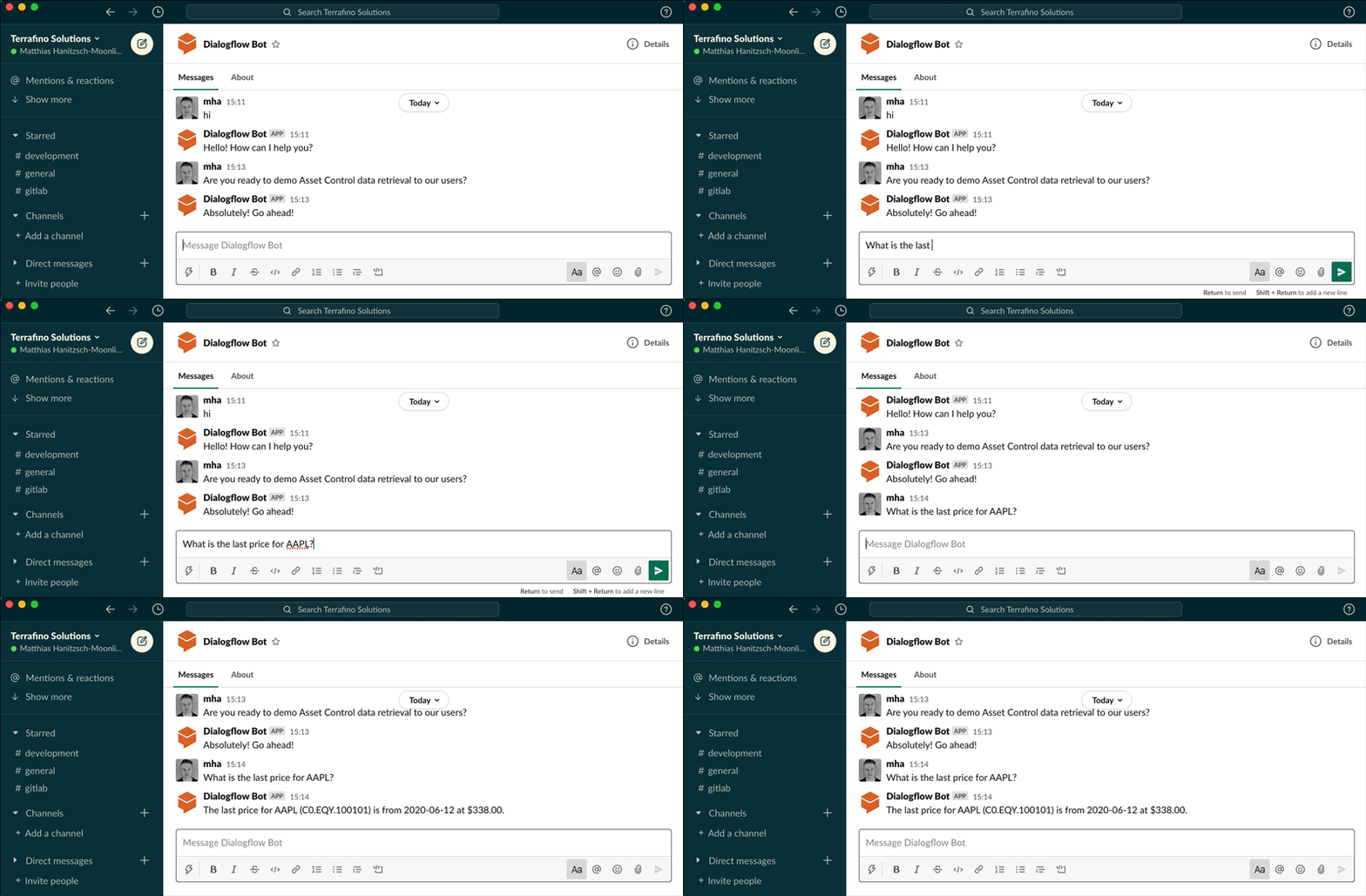
Un Chatbot es una aplicación que interactúa con los usuarios como un ser humano. Los chatbots generalmente se usan para resolver las consultas más comunes que una empresa recibe diariamente de sus clientes. En este artículo, lo guiaré a través del proceso para crear un Chatbot básico usando Python. Puedes improvisar lo mismo para formar chatbots más complejos.
¿Qué es un chatbot?
Un Chatbot es una aplicación de IA que imita las conversaciones humanas. Es muy utilizado por las empresas para solucionar los problemas más habituales que reciben a diario de los clientes. Por lo tanto, al crear un chatbot para cualquier empresa, debe saber a qué se dedica esa empresa y qué problemas tienen sus clientes a diario. En la siguiente sección, lo guiaré a través de cómo crear un chatbot usando Python.
Chatbot con IA con Python
Espero que ahora hayas entendido qué son los chatbots y por qué tantas empresas los usan para resolver los problemas más comunes de sus clientes. Ahora veamos cómo crear un chatbot con Python. Aquí, usaré la biblioteca NLTK en Python , que es una de las mejores bibliotecas de Python para cualquier tarea de procesamiento de lenguaje natural:

Ahora crearé una lista de consultas y sus respuestas para el chatbot:
#Chatbot and my_reflections are list of patterns and responses.

my_reflections= {
    "you": "I",
    "your": "my",
    "you're": "I'm",
    "I": "you",
    "my": "your",
    "I'm": "you're"
}

chatbot = [
    [
        r"(.*)my name is (.*)",
        ["Hello %2, How are you today ?",]
    ],
    [
        r"(.*)help(.*) ",
        ["I can help you ",]
    ],
     [
        r"(.*) your name ?",
        ["My name is AI BOT, but you can just call me robot and I'm a chatbot .",]
    ],
    [
        r"how are you (.*) ?",
        ["I'm doing very well", "i am great !"]
    ],
    [
        r"sorry (.*)",
        ["Its alright","Its OK, never mind that",]
    ],
    [
        r"i'm (.*) (good|well|okay|ok)",
        ["Nice to hear that","Alright, great !",]
    ],
    [
        r"(hi|hey|hello|hola|holla)(.*)",
        ["Hello", "Hey there",]
    ],
    [
        r"what (.*) want ?",
        ["Make me an offer I can't refuse",]

    ],
    [
        r"(.*)created(.*)",
        ["Akhil Makol created me using Python's NLTK library ","top secret ;)",]
    ],
    [
        r"(.*) (location|city) ?",
        ['Haryana, India',]
    ],
    [
        r"(.*)raining in (.*)",
        ["No rain in the past 4 days here in %2","In %2 there is a 50% chance of rain",]
    ],
    [
        r"how (.*) health (.*)",
        ["Health is very important, but I am a computer, so I don't need to worry about my health ",]
    ],
    [
        r"(.*)(sports|game|sport)(.*)",
        ["I'm a very big fan of Cricket",]
    ],
    [
        r"who (.*) (Cricketer|Batsman)?",
        ["Virat Kohli"]
    ],
    [
        r"quit",
        ["Bye for now. See you soon :) ","It was nice talking to you. See you soon :)"]
    ],
    [
        r"(.*)",
        ['That is nice to hear']
    ],
]
#default message at the start of chat
print("Hi, I'm AI BOT and I like to chat\nPlease type lowercase English language to start a conversation. Type quit to leave ")
#Create Chat Bot
chat = Chat(chatbot, my_reflections)
#Start conversation
chat.converse()
Resumen
Los chatbots son aplicaciones muy útiles para todas las empresas, especialmente si una empresa brinda algún tipo de servicio. Ayuda a una organización resolviendo las consultas más comunes de los clientes. Espero que te haya gustado este artículo sobre cómo crear un chatbot usando Python. Siéntase libre de hacer sus valiosas preguntas en la sección de comentarios a continuación.
GitHub: ML-Chatbot-using-Python/chatbot.py en principal · akhilmakol/ML-Chatbot-using-Python (github.com)