Declarações no JavaScript
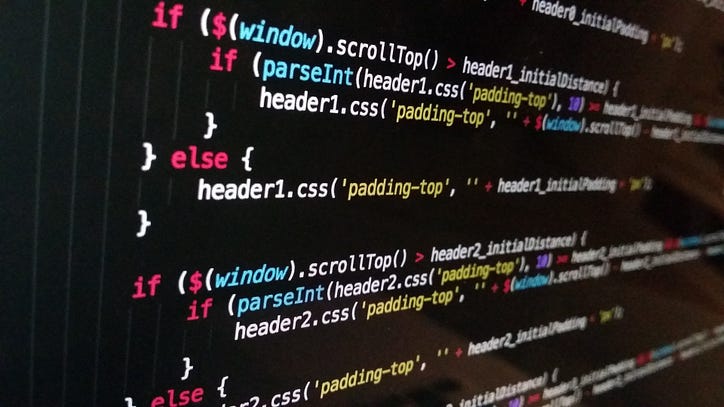
As instruções JavaScript são um bloco de código que conclui alguma ação ou tarefa. Por padrão, o interpretador JavaScript executa essas instruções uma após a outra na ordem em que são escritas.

Vamos tentar entender os diferentes tipos de declarações em JS abaixo
1. Declarações de expressão
As expressões que têm efeitos colaterais são consideradas instruções de expressão , como instruções de atribuição, invocação de função, operadores de incremento e decremento, ++ e — relacionados a instruções de atribuição e operadores de exclusão.
let greeting = “Hello “ + name; //assignment statement
counter ++; // increment operator which is changing a variable value
delete o.x; // deleting a property of an object O
cx = Math.cos(x);; // function invocation and assign the value to a variable
Uma única instrução pode conter mais de uma subinstrução, considerada uma instrução composta ou um bloco de instruções em JS. As linhas a seguir atuam como uma única instrução
{
 x = Math.PI;
 cx = Math.cos(x);
 console.log(“cos(π) = “ + cx);
}
3. Declaração condicional
Instruções que fazem o interpretador JS executar ou pular outras instruções dependendo do valor de uma expressão como instruções if e switch .
3.1 Declaração if
a declaração de controle fundamental que permite que JS tome decisões e execute declarações condicionalmente.
//syntax
If (expression)
 Statement1
else
 Statement 2

//example
if (n === 1) { //curly braces are optional in case of single statement
 console.log("You have 1 new message.");
} else {
 console.log(`You have ${n} new messages.`);
}
3.2 Instrução switch
Quando o valor da mesma expressão pode ser usado para tomar uma decisão entre mais de 2 opções para tais casos, o JS fornece uma instrução switch.
//Syntax
switch(expression) {
 case label1: statement1; // if expression value === label1 execute statement1
 case label2: statement2; // if expression value === label2 execute statement2
 …
 default: default_statement; // optional
}

//Example:
switch(n) {
  case 1:
   // Start here if n === 1.(sameness is determined by the === operator)
   // Execute code block #1.
   break;                         // stop here
  case 2:
    // Start here if n === 2
    // Execute code block #2.
   break;                         // Stop here
  case 3:
    // Start here if n === 3
    // Execute code block #3;
   break;                         // Stop here
  default:
    // If no case match the value of n
    // Execute code block #4.
}
4. Declaração de loops
Instruções que executam outras instruções repetidamente, como while e for.
4.1 Loop while
O interpretador primeiro avalia a expressão . Se o valor da expressão for falso, o interpretador pula a instrução que serve como corpo do loop e passa para a próxima instrução no programa. Se, por outro lado, a expressão for verdadeira, o intérprete executa a afirmação e a repete.
//Syntax
while (expression) { //curly braces are optional in case of single statement
  //statment or statement block
}

//Example
let count = 0;
while(count < 10) {
 console.log(count);
 count++;
}
//Syntax
do { //curly braces are optional in case of a single statement
 //statement / statement block
}
while (expression);

//Example
let count = 0;
do {
 console.log(count);
 count++;
}
while (count < 10);
//syntax
for(initialize ; test ; increment) { //curly braces are optional in case of single statement
 //statement / statement block
}
//Example:
for(let count = 0; count < 10; count++) {
 console.log(count);
}
//Syntax with example
let data = [1, 2, 3, 4, 5, 6, 7, 8, 9], sum = 0;
for(let element of data) {
 sum += element;
}

// for of with map
let m = new Map([[1, "one"]]);
for(let [key, value] of m) {
 key    // => 1
 value  // => "one"
}
//syntax
for (variable in object) {
 //statement / statement block
}

//Example:
for(let p in o) { // Assign property names of o to variable p
 console.log(o[p]); // Print the value of each property
}
Instruções que fazem com que o interpretador pule para outra parte do programa, como break , return e throw .
5.1 Rotulado
Qualquer instrução pode ser rotulada precedendo-a com um identificador e dois pontos: Ao rotular uma instrução, você dá a ela um nome que pode ser usado para se referir a ela em outro lugar do programa.
//syntax
identifier: statement

//example
mainloop: while(token !== null) {
 // Code omitted…
 continue mainloop; // Jump to the next iteration of the named loop(mainloop)
 // More code omitted…
}
5.2 Continue
Quando a instrução continue é executada, a iteração atual do loop envolvente é encerrada e a próxima iteração começa.
//example
for(let i = 0; i < data.length; i++) {
 if (!data[i]) continue; // jump to the next iteration of the loop
 total += data[i];
}
//syntax
return expression;

//Example
function square(x) { return x*x; } // A function that has a return statement
square(2) // => 4
// A generator function that yields a range of integers
function* range(from, to) {
  for(let i = from; i <= to; i++) {
    yield i;
  }
}
try/catch/finally
A instrução try/catch/finally é o mecanismo de manipulação de exceções do JavaScript.
//syntax
try {
 //Normally, this code runs from the top of the block to the bottom
 //without problems. But it can sometimes throw an exception,
 //either directly or with a throw statement.
} catch(e) {
 // The statements in this block are executed if, and only if, the try
 // block throws an exception. These statements can use the local variable
 // e to refer to the Error object or other value that was thrown.
} finally {
 // This block contains statements that are always executed, regardless of
 // what happens in the try block. They are executed whether the try
 // block terminates:
}

//example
try {
  // Ask the user to enter a number
  let n = Number(prompt("Please enter a positive integer", ""));
  // Compute the factorial of the number, assuming the input is valid
  let f = factorial(n);
  // Display the result
  alert(n + "! = " + f);
} catch(e) {     // If the user's input was not valid, we end up here
  alert(e);  // Tell the user what the error is
}
Essas próximas postagens farão parte de uma série que discute tópicos básicos e avançados sobre JavaScript.
Se você gostou desta história, clique no botão e compartilhe-a, para que outras pessoas também possam encontrá-la! Além disso, sinta-se à vontade para deixar um comentário abaixo.
A Groww Engineering publica anedotas técnicas, as tecnologias mais recentes e as melhores maneiras de lidar com problemas comuns de programação. Você pode se inscrever aqui para receber as atualizações mais recentes.
Estamos contratando. Veja aqui as vagas de emprego .