ML Chatbot โดยใช้ Python
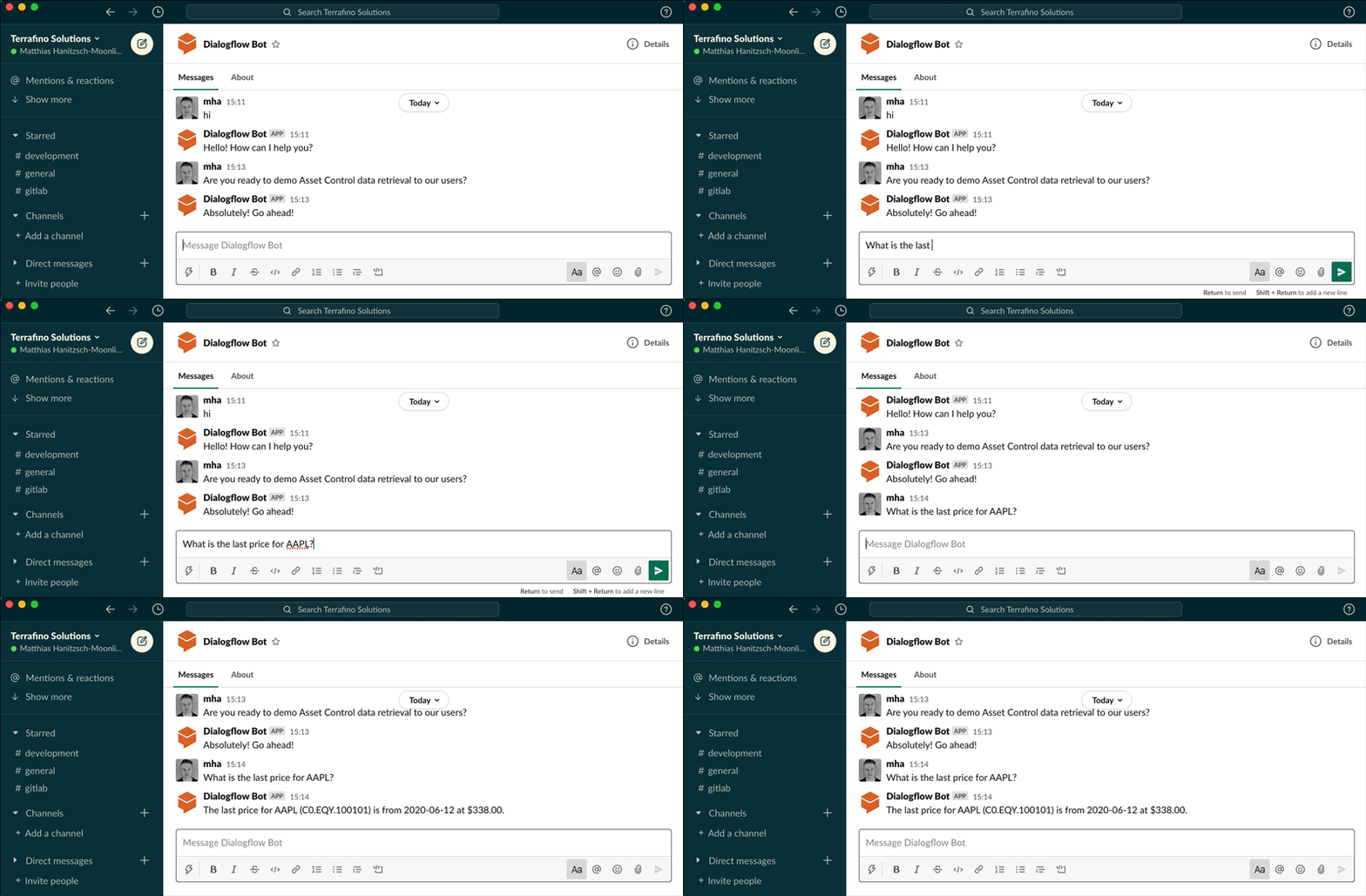
Chatbot เป็นแอปพลิเคชั่นที่โต้ตอบกับผู้ใช้เหมือนมนุษย์ โดยปกติแล้ว Chatbots จะถูกใช้เพื่อแก้ไขคำถามที่พบบ่อยที่สุดที่ธุรกิจได้รับจากลูกค้าทุกวัน ในบทความนี้ ผมจะอธิบายขั้นตอนการสร้าง Chatbot พื้นฐานโดยใช้ Python คุณสามารถปรับแต่งสิ่งเดียวกันเพื่อสร้างแชทบอทที่ซับซ้อนมากขึ้นได้
Chatbot คืออะไร?
Chatbot เป็นแอปพลิเคชั่น AI ที่เลียนแบบการสนทนาของมนุษย์ มีการใช้กันอย่างแพร่หลายโดย บริษัท เพื่อแก้ปัญหาที่พบบ่อยที่สุดที่ได้รับจากลูกค้าทุกวัน ดังนั้น ในขณะที่สร้างแชทบอทสำหรับบริษัทใดก็ตาม คุณควรรู้ว่าบริษัทนั้นเกี่ยวข้องกับอะไร และลูกค้าของพวกเขาได้รับปัญหาอะไรบ้างในแต่ละวัน ในส่วนด้านล่าง ฉันจะแนะนำวิธีการสร้างแชทบอทโดยใช้ Python
AI Chatbot กับ Python
ฉันหวังว่าตอนนี้คุณคงจะเข้าใจแล้วว่าแชทบอทคืออะไร และเหตุใดบริษัทจำนวนมากจึงใช้มันเพื่อแก้ปัญหาที่พบบ่อยที่สุดของลูกค้า มาดูวิธีการสร้าง Chatbot ด้วย Python กัน ที่นี่ ฉันจะใช้ไลบรารี NLTK ใน Pythonซึ่งเป็นหนึ่งในไลบรารี Python ที่ดีที่สุดสำหรับการประมวลผลภาษาธรรมชาติ:

ตอนนี้ ฉันจะสร้างรายการคำถามและคำตอบสำหรับแชทบอท:
#Chatbot and my_reflections are list of patterns and responses.

my_reflections= {
    "you": "I",
    "your": "my",
    "you're": "I'm",
    "I": "you",
    "my": "your",
    "I'm": "you're"
}

chatbot = [
    [
        r"(.*)my name is (.*)",
        ["Hello %2, How are you today ?",]
    ],
    [
        r"(.*)help(.*) ",
        ["I can help you ",]
    ],
     [
        r"(.*) your name ?",
        ["My name is AI BOT, but you can just call me robot and I'm a chatbot .",]
    ],
    [
        r"how are you (.*) ?",
        ["I'm doing very well", "i am great !"]
    ],
    [
        r"sorry (.*)",
        ["Its alright","Its OK, never mind that",]
    ],
    [
        r"i'm (.*) (good|well|okay|ok)",
        ["Nice to hear that","Alright, great !",]
    ],
    [
        r"(hi|hey|hello|hola|holla)(.*)",
        ["Hello", "Hey there",]
    ],
    [
        r"what (.*) want ?",
        ["Make me an offer I can't refuse",]

    ],
    [
        r"(.*)created(.*)",
        ["Akhil Makol created me using Python's NLTK library ","top secret ;)",]
    ],
    [
        r"(.*) (location|city) ?",
        ['Haryana, India',]
    ],
    [
        r"(.*)raining in (.*)",
        ["No rain in the past 4 days here in %2","In %2 there is a 50% chance of rain",]
    ],
    [
        r"how (.*) health (.*)",
        ["Health is very important, but I am a computer, so I don't need to worry about my health ",]
    ],
    [
        r"(.*)(sports|game|sport)(.*)",
        ["I'm a very big fan of Cricket",]
    ],
    [
        r"who (.*) (Cricketer|Batsman)?",
        ["Virat Kohli"]
    ],
    [
        r"quit",
        ["Bye for now. See you soon :) ","It was nice talking to you. See you soon :)"]
    ],
    [
        r"(.*)",
        ['That is nice to hear']
    ],
]
#default message at the start of chat
print("Hi, I'm AI BOT and I like to chat\nPlease type lowercase English language to start a conversation. Type quit to leave ")
#Create Chat Bot
chat = Chat(chatbot, my_reflections)
#Start conversation
chat.converse()
สรุป
Chatbots เป็นแอปพลิเคชั่นที่มีประโยชน์มากสำหรับทุกบริษัท โดยเฉพาะอย่างยิ่งหากบริษัทให้บริการประเภทใดประเภทหนึ่ง ช่วยองค์กรด้วยการแก้ไขข้อสงสัยที่พบบ่อยที่สุดของลูกค้า ฉันหวังว่าคุณจะชอบบทความนี้เกี่ยวกับวิธีสร้างแชทบอทโดยใช้ Python อย่าลังเลที่จะถามคำถามที่มีค่าของคุณในส่วนความคิดเห็นด้านล่าง
GitHub: ML-Chatbot-using-Python/chatbot.py ที่ main · akhilmakol/ML-Chatbot-using-Python (github.com)